Deprecation Notice: The Coralogix Python SDK (coralogix_logger) is deprecated in favor of the OpenTelemetry SDK and will no longer be supported after June 30, 2026. See the Python OpenTelemetry instrumentation guide for setup options and the end-of-life notice for migration details.
Python Deprecated
This guide shows how to send Python logs to Coralogix using the OpenTelemetry Python SDK with the OTLP/gRPC log exporter and a LoggingHandler attached to the standard library logging module. This replaces shipping logs through the legacy coralogix_logger package.
Package dependencies setup
Install the OpenTelemetry SDK and OTLP gRPC exporter (versions are examples; use the latest compatible releases from PyPI):
pip install opentelemetry-sdk opentelemetry-exporter-otlp-proto-grpc
A minimal requirements.txt can look like this:
opentelemetry-sdk
opentelemetry-exporter-otlp-proto-grpc
Select the https://ingress. endpoint that corresponds to your Coralogix domain using the domain selector at the top of the page.
Application implementation
- Build a
LoggerProviderwith aResourcethat setsservice.name,cx.application.name, andcx.subsystem.name. - Add a
BatchLogRecordProcessorwith anOTLPLogExporterpointing at your OTLP/gRPC endpoint (the sample uses local port4317by default). - Call
set_logger_provider, attachLoggingHandlerto your application loggers, and optionally configureTracerProviderso logs inside spans pick up trace context.
import logging
import os
import time

from opentelemetry import trace
from opentelemetry._logs import set_logger_provider
from opentelemetry.exporter.otlp.proto.grpc._log_exporter import OTLPLogExporter
from opentelemetry.sdk._logs import LoggerProvider, LoggingHandler
from opentelemetry.sdk._logs.export import BatchLogRecordProcessor
from opentelemetry.sdk.resources import Resource
from opentelemetry.sdk.trace import TracerProvider


def create_logger_provider(endpoint: str) -> LoggerProvider:
    resource = Resource.create(
        {
            "service.name": os.getenv("OTEL_SERVICE_NAME", "python-otel-logs-sample"),
            "cx.application.name": os.getenv("CORALOGIX_APPLICATION", "python-otel-app"),
            "cx.subsystem.name": os.getenv("CORALOGIX_SUBSYSTEM", "worker"),
        }
    )

    provider = LoggerProvider(resource=resource)
    provider.add_log_record_processor(BatchLogRecordProcessor(OTLPLogExporter(endpoint=endpoint)))
    return provider


def main() -> None:
    endpoint = os.getenv("OTEL_EXPORTER_OTLP_ENDPOINT", "http://localhost:4317")

    logger_provider = create_logger_provider(endpoint)
    set_logger_provider(logger_provider)

    handler = LoggingHandler(level=logging.NOTSET, logger_provider=logger_provider)
    app_logger = logging.getLogger("python-otel-example")
    app_logger.setLevel(logging.INFO)
    app_logger.addHandler(handler)

    tracer_provider = TracerProvider()
    trace.set_tracer_provider(tracer_provider)
    tracer = trace.get_tracer("python-otel-example")

    app_logger.info("hello python logging with OpenTelemetry")

    with tracer.start_as_current_span("manual-span"):
        app_logger.warning("python log with trace correlation")

    time.sleep(1.5)
    logger_provider.force_flush()
    logger_provider.shutdown()
    tracer_provider.shutdown()
    print("Done: flush + shutdown completed")


if __name__ == "__main__":
    main()
Notes
- Call
force_flush()/shutdown()on theLoggerProviderbefore exit so batched OTLP payloads are delivered. - The example imports
LoggingHandlerand related types fromopentelemetry.sdk._logs, matching the current OpenTelemetry Python package layout. If you upgrade packages, follow the OpenTelemetry Python logs documentation for any API moves.
Worker processes with uWSGI
If you use uWSGI without threads, the Python runtime might not allow background export threads used by the SDK. Turn on threading (for example uwsgi ... --enable-threads or enable-threads = true in your uWSGI configuration file). When you fork workers, initialize the LoggerProvider and handlers after the fork (for example with uWSGI’s @postfork hook) so each worker has its own provider instance.
Logging output
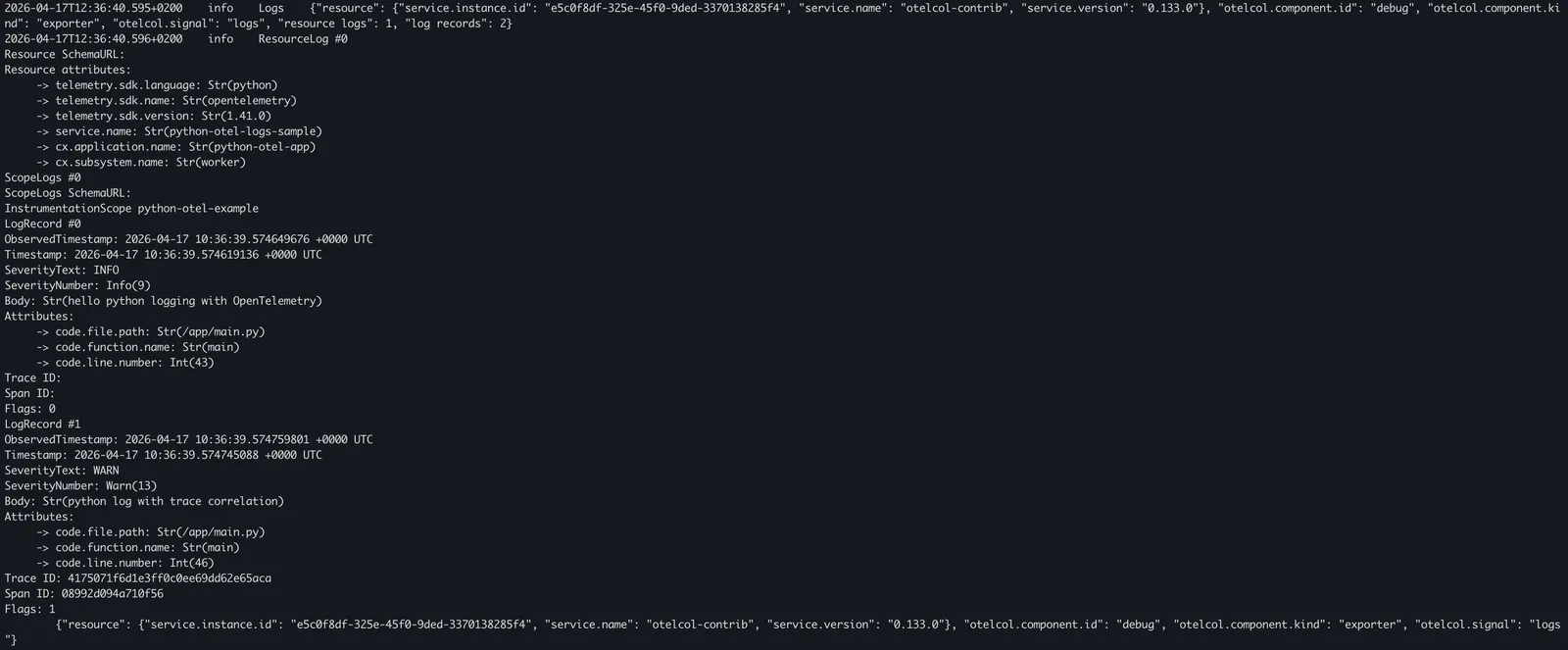
With the OpenTelemetry SDK, you can send logs either to a local OpenTelemetry Collector or directly to Coralogix using an OTLP endpoint.
OpenTelemetry Collector
Set OTEL_EXPORTER_OTLP_ENDPOINT to your collector’s OTLP/gRPC address (often http://localhost:4317 or http://collector:4317).
Coralogix OpenTelemetry endpoint
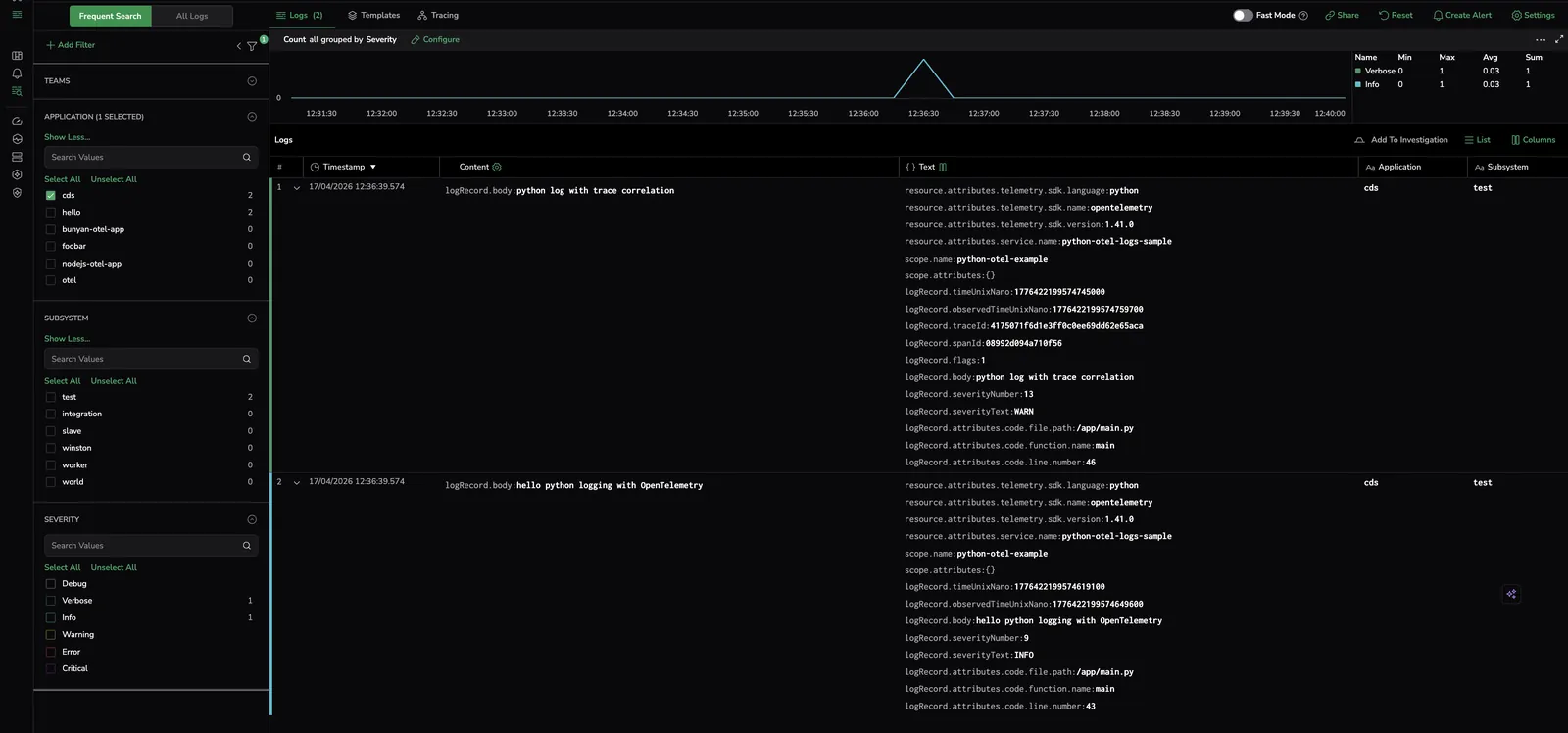
Authenticate with your Send-Your-Data API key and point the OTLP exporter at your Coralogix endpoint.
OTEL_EXPORTER_OTLP_ENDPOINT=https://ingress.eu2.coralogix.com:443
OTEL_EXPORTER_OTLP_HEADERS="Authorization=Bearer send_your_data_key"
OTEL_RESOURCE_ATTRIBUTES="service.name=python-otel-logs-sample,cx.application.name=AppName,cx.subsystem.name=SubName"
Additional resources
| OpenTelemetry Python | OpenTelemetry Python docs |
| Coralogix Endpoints | Coralogix Endpoints |